
Sending a text message on iPhone can leave you wondering whether you can remove it from both sides of the conversation. The available options depend on the message and the situation.
This guide covers how to delete text messages on iPhone for both sides and what to do when the usual option isn’t available.
1. How to Delete Text Messages on iPhone for Both Sides?
To learn how to delete text messages on iPhone for both sides, you can use the Undo Send option in the Messages app. Follow these steps:
- Open the Messages app on your iPhone.
- Open the conversation that contains the message.
- Touch and hold the message bubble you want to remove.
- Tap Undo Send.
After you tap Undo Send, the message is deleted from the recipient’s device, and a confirmation note appears in both conversation transcripts.
The action applies to the specific message you selected, so you do not need to delete the entire conversation.
>>> Read more: How to Schedule a Text on iPhone? Smart Ways to Send Messages Easily
2. Why Is Unsend Message Not Available on iPhone?
Whether you can or can not follow the steps for how to delete text messages on iphone for both sides depends on the message type, the time since it was sent, and the software used by both participants. It may be unavailable for these reasons:
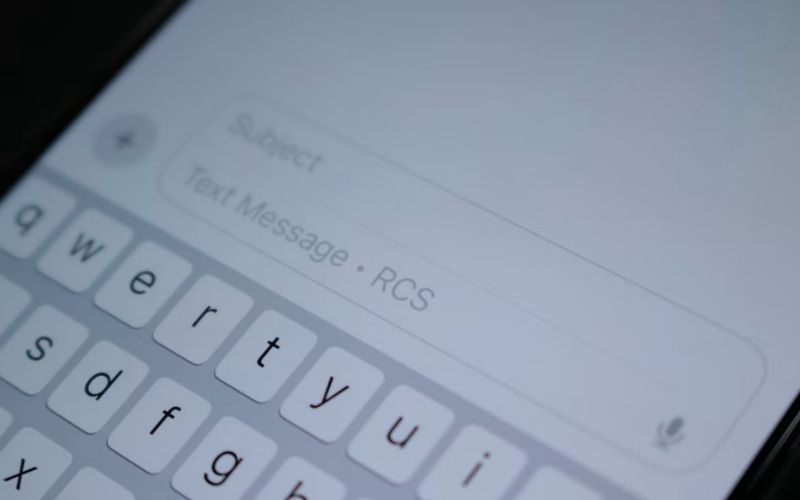
- Check the bubble color in Messages: blue indicates iMessage, while green indicates SMS, MMS, or RCS.
- Green does not necessarily mean the recipient uses an Android phone; an iPhone conversation can also use these message types when iMessage is unavailable or turned off.
- To check your settings, open Settings, tap Apps, select Messages, and make sure iMessage is turned on. Enabling iMessage afterward does not convert a message already sent as SMS, MMS, or RCS.
- More than 2 minutes have passed. Apple allows you to undo a sent iMessage only within 2 minutes.
- The recipient uses an older operating system. If the recipient’s Apple device runs an earlier software version, the original message may remain visible even after you undo it.
- The feature requires iMessage with iOS 16, iPadOS 16.1, macOS Ventura 13, or later compatible software.
3. What Happens to Sent Messages After the 2-Minute Limit?
Once the two-minute Undo Send window closes, you can no longer remove the original iMessage from the recipient’s conversation using this feature.
However, instead of trying to find a trick, you may still be able to edit the message within 15 minutes of sending it or delete your own copy.
To edit a sent iMessage, open the conversation, touch and hold the message bubble, tap Edit, make your changes, then tap the checkmark to confirm.
Apple allows up to five edits within 15 minutes of sending. Both participants can tap Edited to view previous versions, so editing does not erase the message history.
You can also delete your own copy from the Messages app:
- Open the conversation and touch and hold the message.
- Tap More, select the message if necessary, then tap Delete.
This removes the message from your conversation, not the recipient’s device. If Messages in iCloud is enabled, the deletion also syncs to your other Apple devices that use the same account and feature.
Deleted messages may remain in Recently Deleted for up to 30 days. To recover one, open Messages and access Recently Deleted from the conversation list or its filters, depending on your iOS version.
>>> Read more: How to Set Up Voicemail on iPhone: Easy Setup for Any Carrier
4. FAQs
These quick answers cover common situations when you want to unsend an iMessage or remove a text from both sides.
Does un-sending an iMessage work if the recipient has already read it?
Yes. You can still unsend a read iMessage within two minutes of sending it, as long as both devices meet Apple’s software requirements. However, the recipient may have already seen the message.
Is it possible to delete a text message from both sides between an iPhone and an Android phone?
No. Apple’s Undo Send feature does not work with SMS, MMS, or RCS messages exchanged with Android phones. Deleting the message from your iPhone only removes your copy.
What happens when trying to recall an iMessage after the recipient has already replied?
The recipient’s reply does not itself prevent you from unsending the original message. The original iMessage remains subject to Apple’s Undo Send time limit and compatibility requirements.
5. Conclusion
The answer to how to delete text messages on iPhone for both sides depends on the message type and when you sent it.
Undo Send works for eligible iMessages within two minutes; afterward, you can only delete your own copy or edit the message when available.
You can find more iPhone tips and step-by-step guides at OptNYC.